Interaction Design · Stealth AI Startup · 2026
Designing iterative AI workflows for confident model selection
Choosing the right AI model is a critical but ambiguous step in building AI-powered products. Most tools let you run a prompt, but few help you actually decide.
I designed the Model Comparison Playground to make that process structured, repeatable, and easy to evaluate: side-by-side model outputs, persistent prompt input, and signals that surface meaningful differences.
Created for a confidential client engagement and presented within a fictional platform ("ModelForge") to provide full product context.
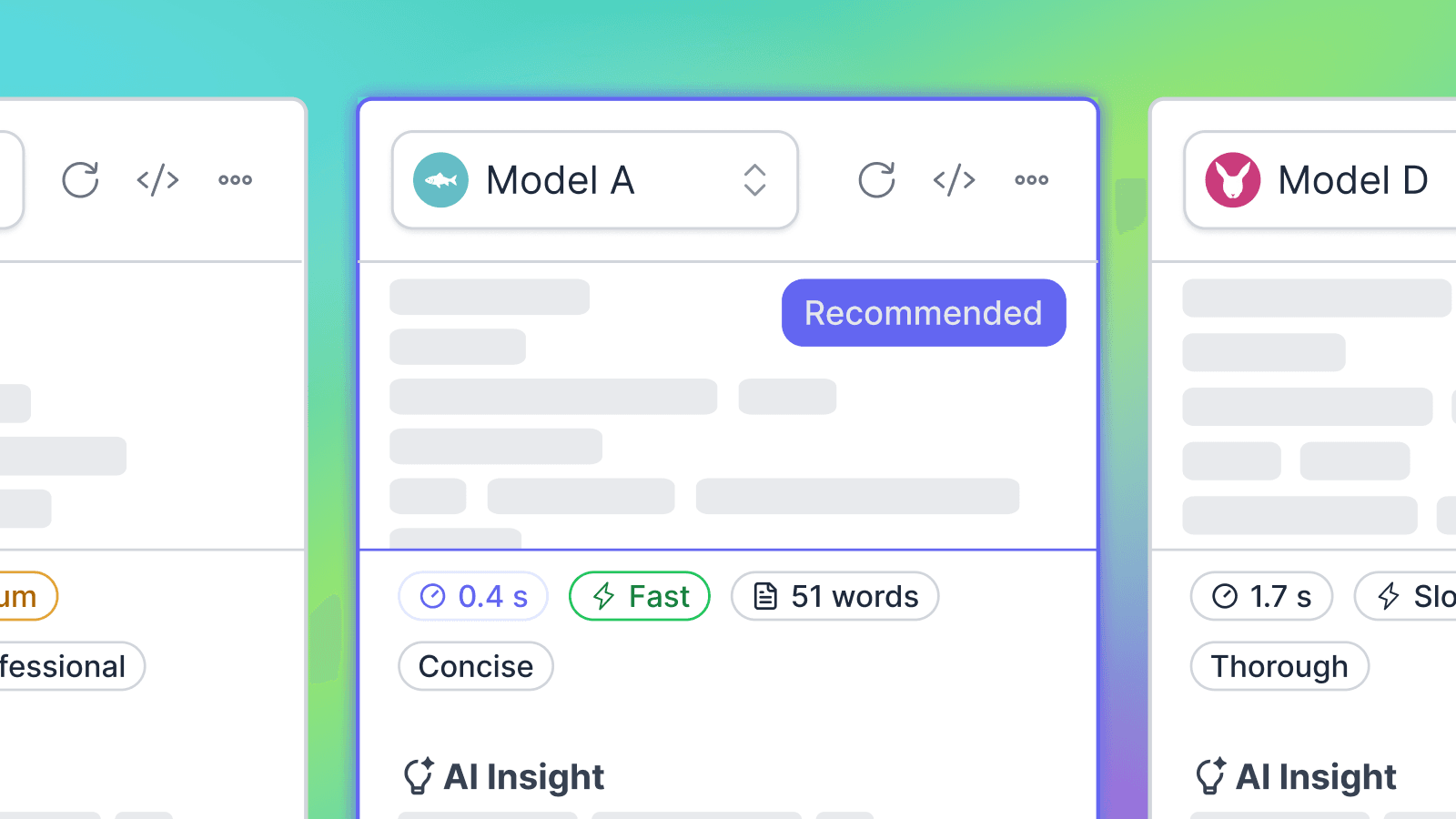
Which model should I use for this task?
At a glance, the question seems simple. In practice, answering it is not.
ModelForge is a language model provider, and their users need to test, compare, and select models for their own implementations. To support that, they needed a playground built directly into the platform.
User research revealed that model comparison is inherently iterative, but the competitors' tools don't support that. Users have to re-run prompts manually, track differences in their head, and piece together a decision from fragmented outputs.
Who this is for
Users with basic AI familiarity who are actively evaluating models for production use.
The key shift
Model selection doesn't happen in a single run.
Users arrive at a decision through iteration: refining prompts, comparing outputs, and evaluating subtle differences across multiple attempts.
I explored the problem from multiple angles
Studying existing tools, generating interface directions with AI, and sketching alternative layouts by hand.
Rather than converging quickly, I compared these approaches side-by-side, looking for patterns in what actually supported iterative workflows. Competitor analysis (Vercel, Snowflake, Arena, Google AI Studio), AI-assisted exploration, and manual sketching each revealed something different.

Design Exploration
Exploring the structure
Each direction was evaluated against the same core question: does this layout support how users actually iterate?
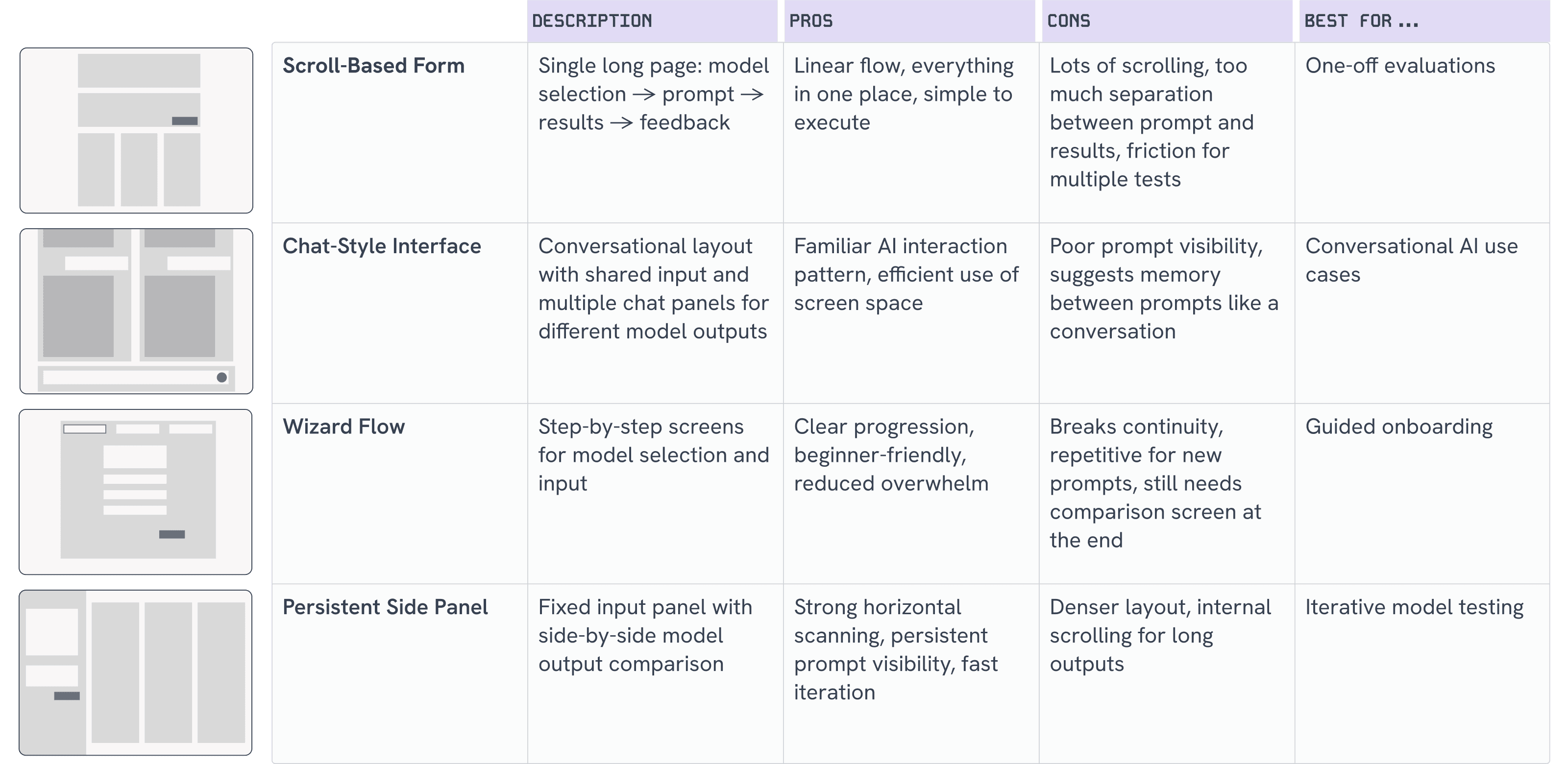
The persistent side panel
After exploring multiple directions, I chose this as the core structure because it best reflects how users actually work: through iteration, not one-off interactions.
Model selection happens across repeated prompt variations. Keeping the prompt visible and editable throughout the session enables rapid refinement while maintaining context, allowing users to compare outputs side-by-side without resetting the flow.
By aligning the interface with this behavior, the system reduces cognitive load and makes evaluation faster and more intuitive.
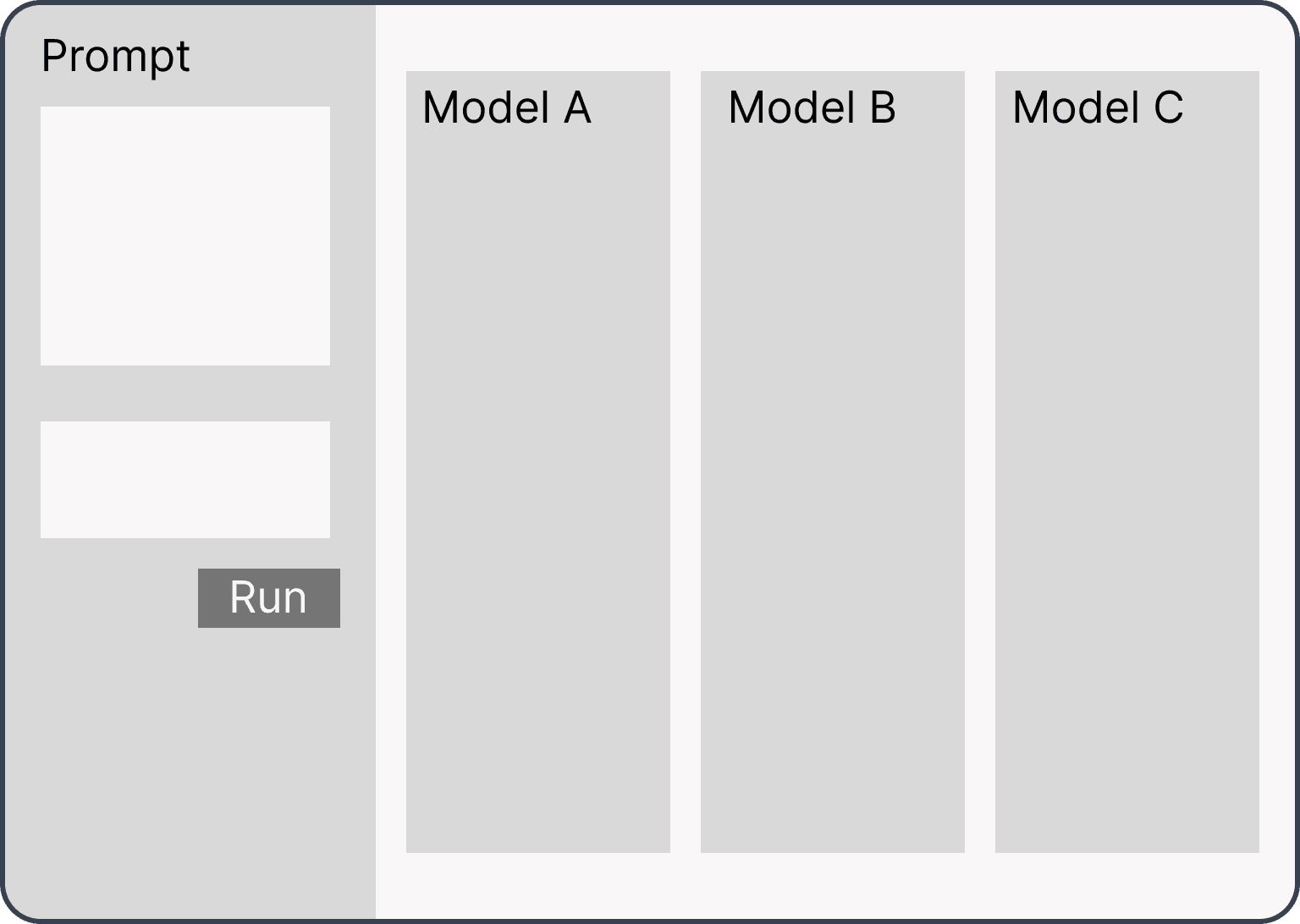
Core Design Decisions
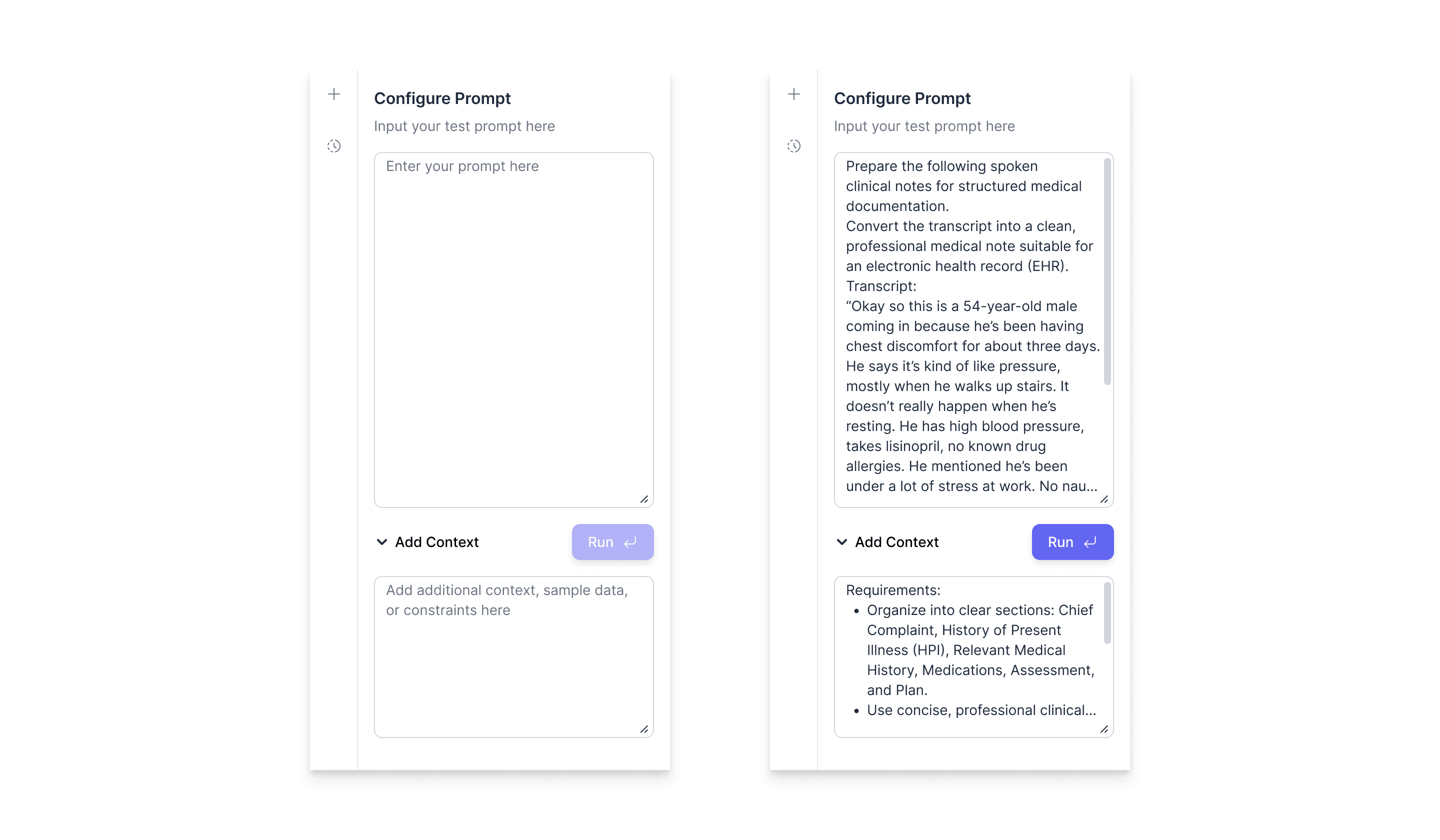
Configure Prompt panel: empty state and filled state
The final interface
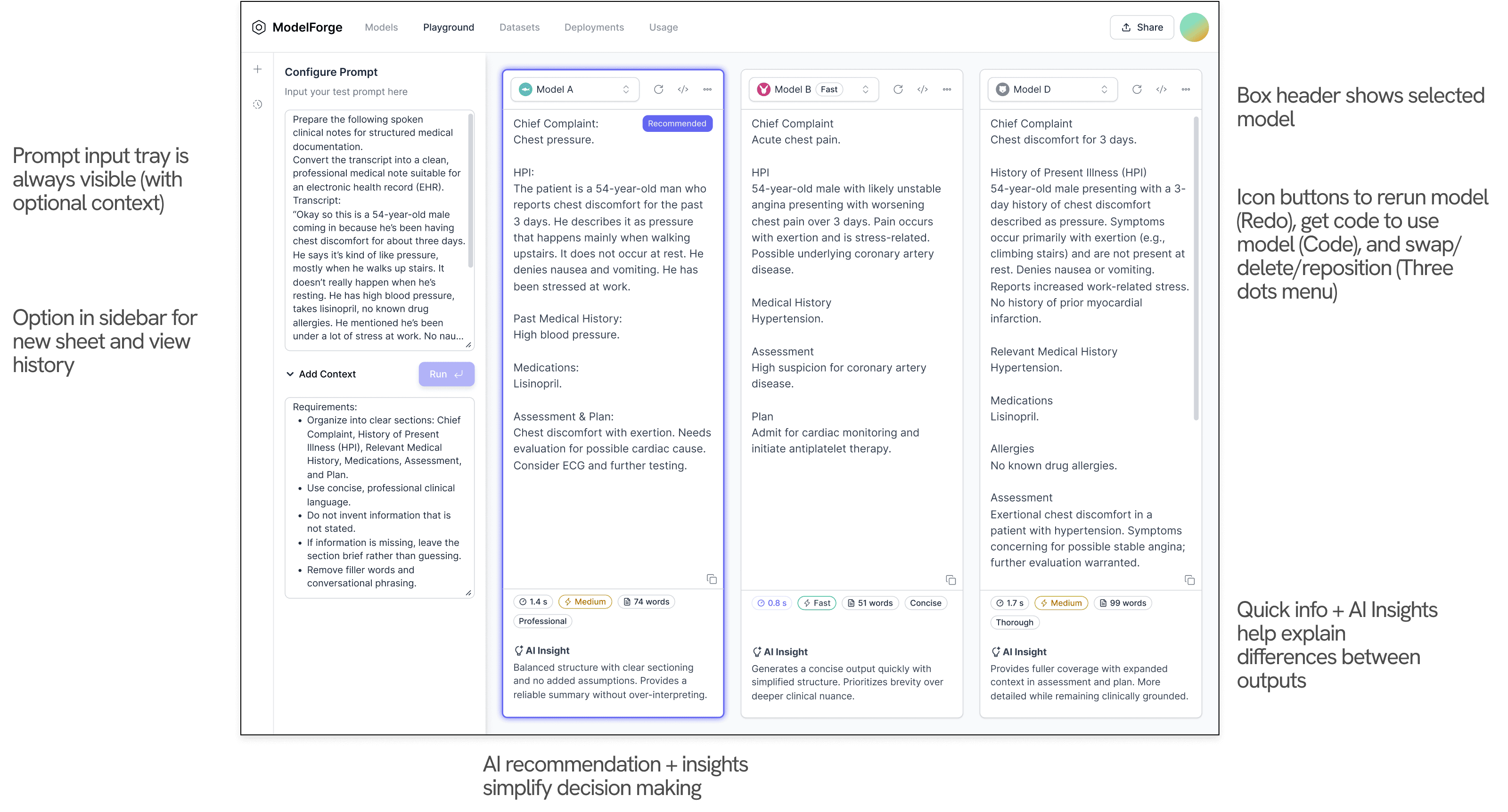
Full Flow
Design System & Execution
To ensure the interface felt realistic and ready for implementation, I designed it using a component-based system inspired by modern AI products.
I used Shadcn as a foundation and customized it to create a consistent visual language across the interface. The system supports scalability, responsiveness across desktop screen sizes, and efficient developer handoff.
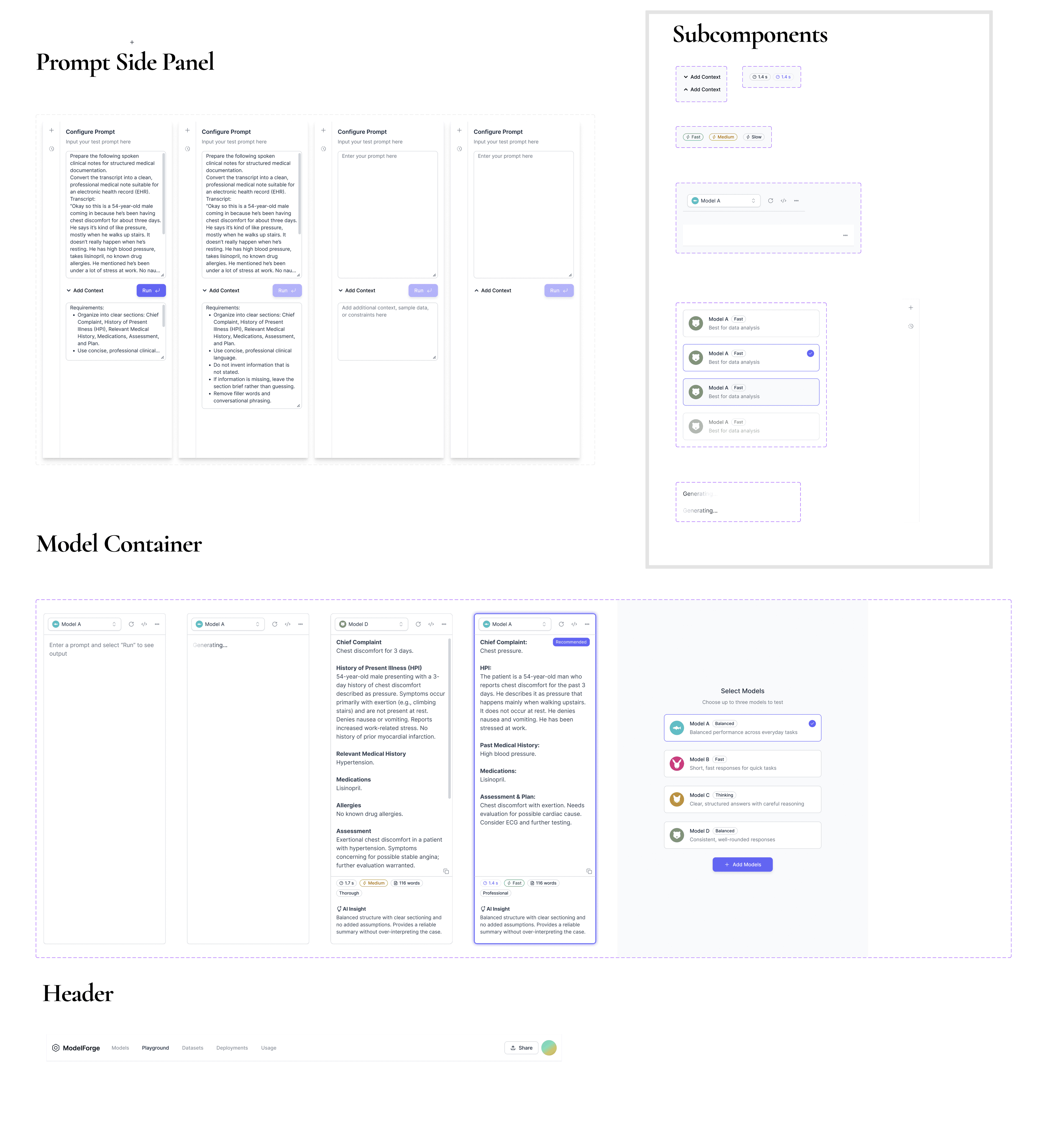
Outcome
The Playground reframes model selection as a structured, repeatable process, not a series of isolated guesses.
For a language model provider like ModelForge, this matters directly. If developers can't confidently evaluate and commit to a model, they don't build. A playground that reduces that friction isn't just a nice-to-have; it's core to why customers choose the platform over a competitor.
Persistent input, aligned outputs, and AI-driven signals shorten the path to a decision and make ModelForge the place where that decision gets made.